If you want to increase customer retention by improving customer engagement, schedule a free call now!



WhatsApp and QR Code Token Systems: What Clinics Should Know
 Published
 - E-Token Solution Team
A WhatsApp or QR code token system lets patients join a clinic queue without installing an app. They scan a code at reception or send a message, then receive a token number and updates on their phone. Before you buy one, check who pays for each message, how updates are sent, and how patients without smartphones join.
This is a neutral buyer's guide. It explains how these systems usually work and what to ask vendors. At the end we explain which channels E-Token Solution supports today.
Why clinics want no-app joining
Patients visit a clinic a few times a year. Many will not download an app for that. Older patients, people with low phone storage and first-time visitors often skip the app and simply queue at the desk. That puts the clinic back where it started: a crowded waiting room and a receptionist answering "how long?" all day.
No-app joining tries to remove that barrier. The patient uses something already on their phone, such as the camera or a messaging app, and gets a place in the queue in a few taps.
Ways patients can join a clinic queue
1. A web booking link
The clinic shares a link to its booking page on its website, in messages or on a visiting card. The patient opens it in a phone browser, picks a doctor and a slot, and gets a token. No install is needed.
2. A patient mobile app
The patient installs the clinic's or the vendor's app. Apps can keep a login, show past visits and send app notifications. They suit regular patients more than one-time visitors.
3. A QR code at the door
A QR code is just a printed link. In most systems, scanning it opens a web page where the patient joins the walk-in queue or books a slot. Some systems create a new code each day or per branch so that people cannot join from far away.
4. A WhatsApp message
The patient sends a message such as "Hi" to the clinic's business number and gets an automatic reply with a token number. Updates arrive in the same chat. Vendors usually build this on the WhatsApp Business Platform through Meta or an approved provider, which means there are rules on message templates and, in many cases, a charge per conversation or message.
5. The front desk
Staff enter the patient's details and issue a token. Every clinic still needs this option for patients who have no phone or need help.
Pros and cons of each channel
| Channel | Good for | Watch out for |
|---|---|---|
| Web link | No install, works on most phones, easy to share | Patients need to find the link |
| Mobile app | Regular patients, history, app notifications | Many first-time patients will not install it |
| QR code | Walk-ins at the door, quick to join | Needs a phone camera and internet; codes can be shared outside the clinic |
| A familiar app for many patients | Message fees, template rules and dependence on a third-party platform | |
| Front desk | Anyone, including elderly patients | Staff time at busy hours |
Most clinics end up with a mix: one or two digital channels plus the front desk. What matters most is that every channel feeds one queue, so a patient who joined at the desk is not overtaken by someone who joined online.
Notification channels and their costs
Joining is only half the job. Patients also need to know when to come in. Common notification channels are:
- App notifications: usually no per-message cost, but they only reach patients who installed the app.
- SMS: reaches almost any phone. Vendors often charge per message or sell message packs. In India, business SMS generally has to follow the telecom regulator's DLT registration rules, so ask who handles that.
- WhatsApp: often charged per conversation or per message, with prices set by Meta and the provider. Rates change, so ask for current figures in writing.
- Email: low cost, but patients may not check it while they wait.
- A TV screen in the waiting area: no message cost at all, and it helps everyone already in the clinic.
When you compare quotes, work out a monthly figure: patients per day, times the number of messages each patient receives, times the price per message. A cheap subscription can become expensive if every token sends three or four paid messages.
How to set up a QR poster at reception
If your vendor supports QR joining, these steps apply to most systems:
- Get the official joining link or code from your vendor, not from a free generator, so it stays linked to your account.
- Print it large, at eye level, near the entrance and at reception.
- Add two lines of plain text: "Scan to get your token" and "No phone? Ask at the desk."
- Test it on an older Android phone and an iPhone before you put it up.
- Check whether the code changes each day, and who replaces the poster if it does.
Questions to ask any vendor
- Which joining channels are included in the price, and which cost extra?
- Who pays for SMS or WhatsApp messages, and what is the current rate?
- Do all channels feed one queue, including front-desk tokens?
- Can a patient cancel or change a booking without calling the clinic?
- Does the patient see their queue position and an estimated time?
- Can doctors see and update their own list on a phone?
- Can the queue be shown on a TV in the waiting room?
- What happens if the clinic's internet goes down?
- Where is patient data stored, and can you export it?
What E-Token Solution supports today
E-Token Solution's confirmed channels are:
- Web booking: patients book a token or a slot from a web page, with no install. See visitor management.
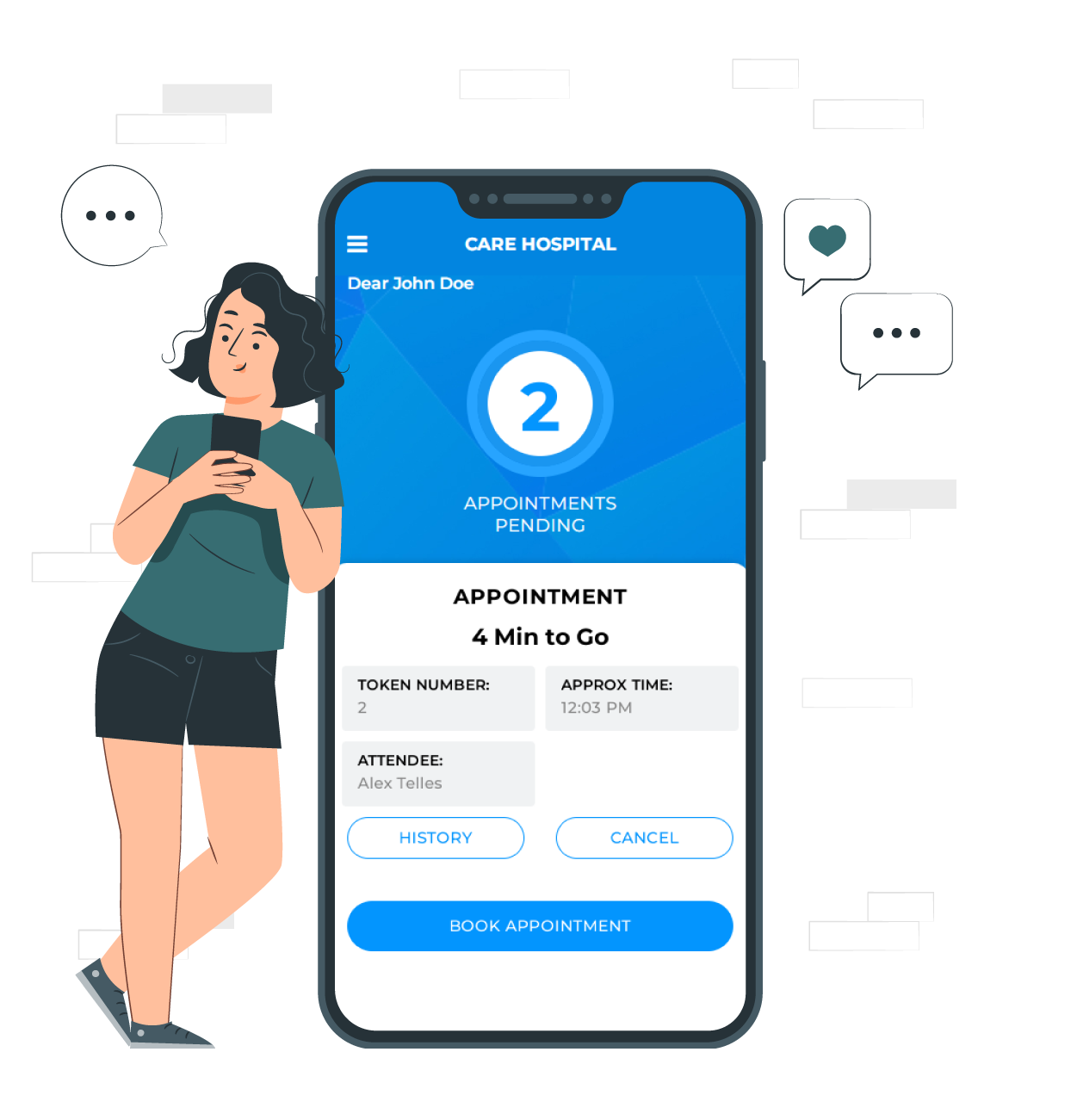
- The visitor mobile app: patients register, see which doctors are available, book, cancel or reschedule, and track their token. See the visitor mobile app.
- The TV display: the waiting room screen shows the current and upcoming tokens with queue positions. See the TV token display.
Tokens show the queue position and estimated serving time in real time, and the system sends automated notifications and reminders about upcoming appointments and schedule changes. Doctors can manage their list in the attendee mobile app, and bookings and walk-ins are served from one queue through appointment scheduling.
WhatsApp joining, QR code joining and SMS are not listed as confirmed features. If your clinic needs any of them, contact the E-Token Solution sales team before you sign up and ask what is available for your setup.
For examples from healthcare, read how a multi-department hospital organised its appointments, and how Hand in Hand India used an adapted version at more than 10 rural health locations. Plans start with a Free plan, and you can compare them on the pricing page.
Frequently asked questions
Is a QR code token system safe for patient data?
The QR code itself only holds a link. Data safety depends on the system behind it. Ask the vendor where data is stored, who can access it and how backups work.
Do WhatsApp token updates cost money?
Often, yes. Business messages on WhatsApp are usually charged by Meta and the provider. Ask your vendor whether the cost is included in your plan or billed separately.
What about patients without a smartphone?
Keep a front-desk option. Staff can add the patient to the same queue, and a TV screen in the waiting room shows everyone when their turn is coming.
Does E-Token Solution work on WhatsApp?
WhatsApp is not a confirmed channel. E-Token Solution's confirmed channels are web booking, the visitor mobile app and the TV display. Contact sales to ask about other channels.
Try it on your own queue. E-Token Solution has a free plan, and paid plans start at ₹2,100 or $30 a month.