If you want to increase customer retention by improving customer engagement, schedule a free call now!



What Is an Online Token System and How Does It Work?
 Published
 - E-Token Solution Team
An online token system is software that gives each customer a digital queue number, not a paper slip. Customers take a token on the web or in an app, see their place in the line and an estimated serving time, and arrive when their turn is near. Staff call each token, and a TV screen shows who is next.
A short definition
An online token system, also called an e-token or digital token system, manages a queue through software. It records who is waiting, for which service and with which staff member. It then works out each person's position and an estimated waiting time, and it updates both as people are served. The customer no longer has to stand in line to keep their place.
Paper tokens vs online tokens
Many clinics, banks and service counters still hand out numbered paper slips or keep a register at the front desk. That works, but it has limits. The table below compares the two approaches.
| Point | Paper token | Online token |
|---|---|---|
| Where you get it | Only at the counter | From home, on the way, or on arrival |
| Knowing your turn | Ask the staff or listen for your number | Live queue position and estimated serving time |
| Cancel or change | Not possible, the slip is wasted | Cancel or reschedule, and the slot is freed |
| Waiting area | Everyone waits on site | People come in when their turn is near |
| Records | A paper register, if any | Booking history, ratings and reports |
The biggest change is that the queue no longer lives in one room. A patient can join a doctor's queue before leaving home. A bank customer can see that ten people are ahead and run an errand first.
How it works in 3 steps
1. Book a token
The customer opens the business's booking page on the web or in a mobile app. They pick a service, choose a staff member if they want one, and take a token for the next free slot. Some people book days ahead. Others join the queue when they walk in.
2. Track the queue
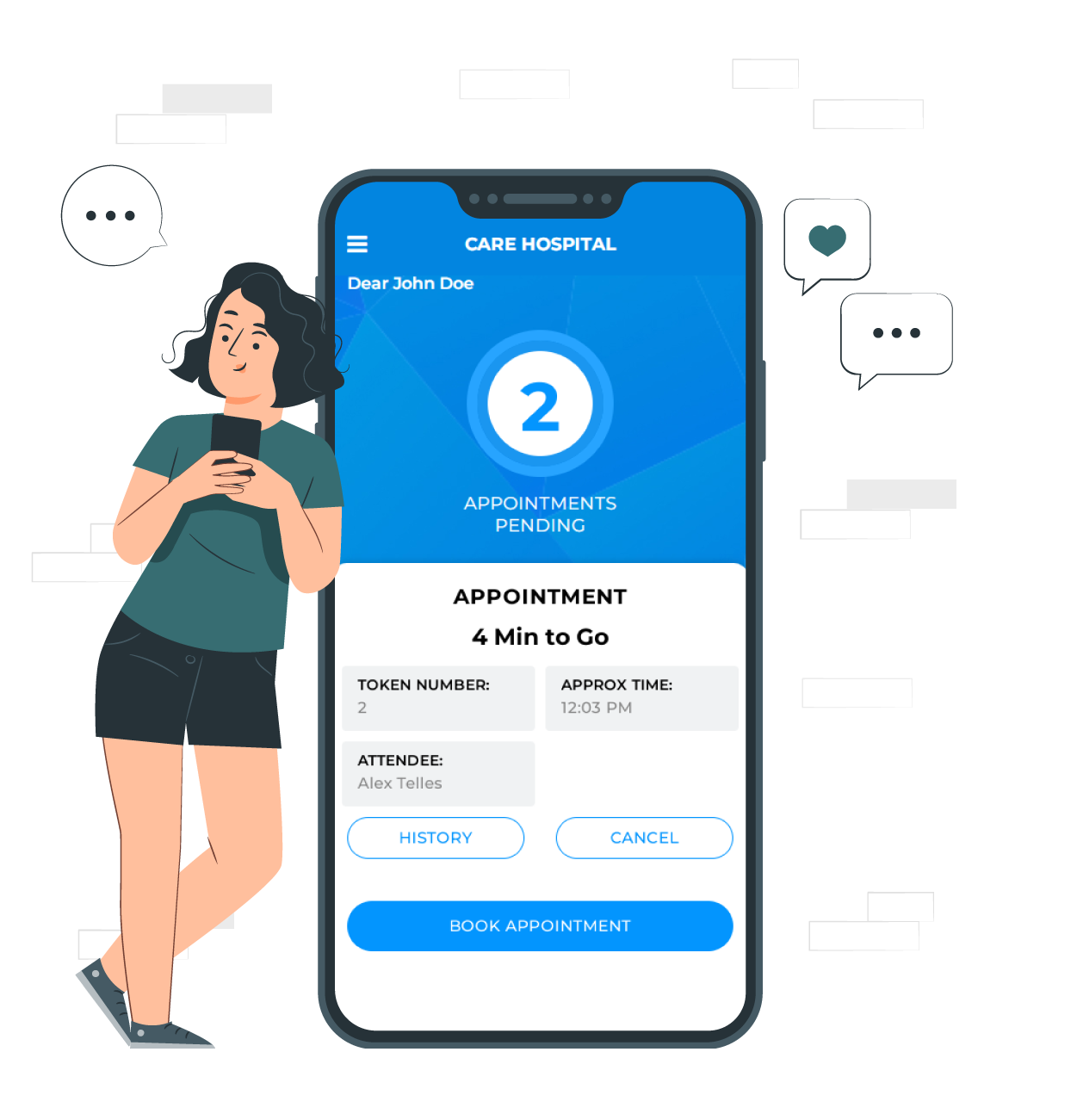
The token shows the customer's number, their position in the queue and the estimated serving time. These details update in real time as staff serve people. Automated notifications and reminders tell customers about upcoming appointments and any change in the schedule.
3. Get called
When the customer's turn comes, the staff member calls the token and marks the visit as started, then completed. The queue moves forward, and everyone else's waiting time is updated.
What customers see and what staff see
A token system has two sides, and both matter.
The customer side
- A list of services and, where offered, the staff members who provide them
- Free slots to choose from, so they do not book a time that is already taken
- Their token number, queue position and estimated serving time
- Options to cancel or reschedule without phoning the business
- A history of past bookings
In E-Token Solution, customers can use the web booking page or the visitor mobile app. The app adds registration, a view of which staff are available and access to the business's knowledge articles. Read more about the customer journey on the visitor management page.
The staff side
- A list of their own appointments, with time, client details and notes
- A way to mark each visit as started or completed
- The option to add a booking for someone who walks in or phones
- A view of how busy each staff member is
E-Token Solution calls these staff members attendees. Each attendee can work from the web or the attendee mobile app. Managers set each attendee's services, working hours, breaks and holidays in attendee management, so tokens go to the right person.
The role of the TV display
A screen in the waiting area shows the token being served now and the tokens coming up next. It answers the question people ask most often at a front desk: "How long will it take?" Staff get fewer interruptions, and waiting feels shorter when people can see the line moving.
The E-Token Solution TV token display reads data straight from your account, so nobody updates it by hand. You can set its colours, fonts and layout to match your brand, and you can show the queue on more than one screen in a large building.
Which businesses need one?
Any place where people wait for a service can use a token system. Common examples include:
- Hospitals and clinics: outpatient queues with several doctors and departments. See how a multi-department hospital organised its appointments.
- Banks: many services, each handled by different counter staff. Read the bank case study.
- Salons: bookings by stylist, plus walk-ins. See the salon case study.
- Restaurants: waiting lists at busy times. See the restaurant example.
- Temples and holy places: crowds during festivals. Read about crowd management at a temple.
- Service centres, garages and retail stores with busy periods.
A useful sign that you need one: customers often ask staff how long the wait is, or your waiting area fills up while counters sit idle at other times of day.
What an online token system costs
Most online token systems are sold as a monthly subscription. Prices usually depend on how many staff members or counters serve the queue. E-Token Solution plans are sized by the number of attendees:
| Plan | Price per month | Attendees included |
|---|---|---|
| Free | ₹0 | 1 |
| Basic | ₹2,100 ($30) | 5 |
| Business | ₹5,100 ($69) | 10 |
| Corporate | ₹9,100 ($125) | 20 |
The Free plan includes the visitor mobile app. The Business plan adds the TV display, and Corporate adds multiple language support. Extra attendees cost ₹399 ($5) each on paid plans. There is also a 30-day free trial. See the full details on the pricing page.
How to get started
- List the services you offer and the staff who provide each one.
- Set your business hours, breaks and holidays.
- Share your booking page with customers, and tell walk-ins how to join the queue.
- Put a TV in the waiting area if your plan includes the display.
- Check ratings and reports after a few weeks, then adjust staff hours or slot lengths.
Depending on the modules you choose, the E-Token Solution support team can get you running within 2 hours and trains your staff on each module. You can start a free trial to test it with your own queue.
Frequently asked questions
Is an online token system the same as appointment booking?
They overlap. Appointment booking gives a customer a fixed time slot. A token system gives a place in a queue. In E-Token Solution, booked and walk-in customers are served from one queue, so you can use both. See appointment scheduling.
Do customers have to install an app?
No. Customers can book through the web booking page. The visitor mobile app is there for people who prefer an app on their phone.
Can a customer cancel a token?
Yes. Customers can cancel or reschedule a booking themselves. The slot is freed for someone else, and your staff do not have to take a phone call.
Can I try it before paying?
Yes. E-Token Solution has a Free plan with 1 attendee that has no time limit, and it also offers a 30-day free trial. Ask the sales team what the trial includes.
Try it on your own queue. E-Token Solution has a free plan, and paid plans start at ₹2,100 or $30 a month.