Want shorter queues and happier customers? Request a demo call.





Admin panel
Visitor records
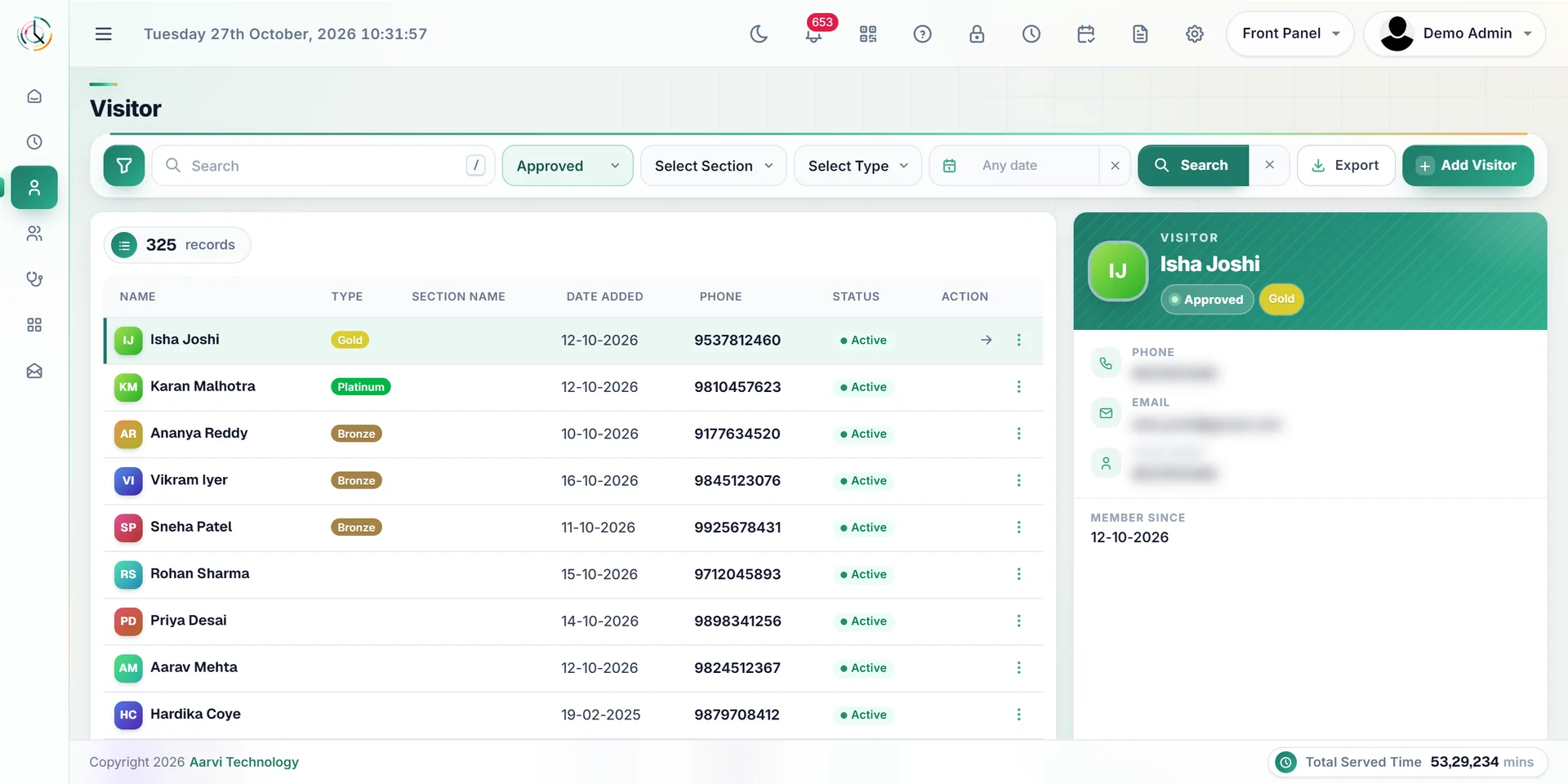
Search and filter visitors by status, section, type or date, and open a profile with phone, email and membership since.
Want shorter queues and happier customers? Request a demo call. Request a demo call Try E-Token Solution for Free


Visitors do not need to stand in a line to wait for their turn.

Visitors can book on the web or in the mobile app, at home, at work or on the go. They can change or cancel a booking when their plans change.

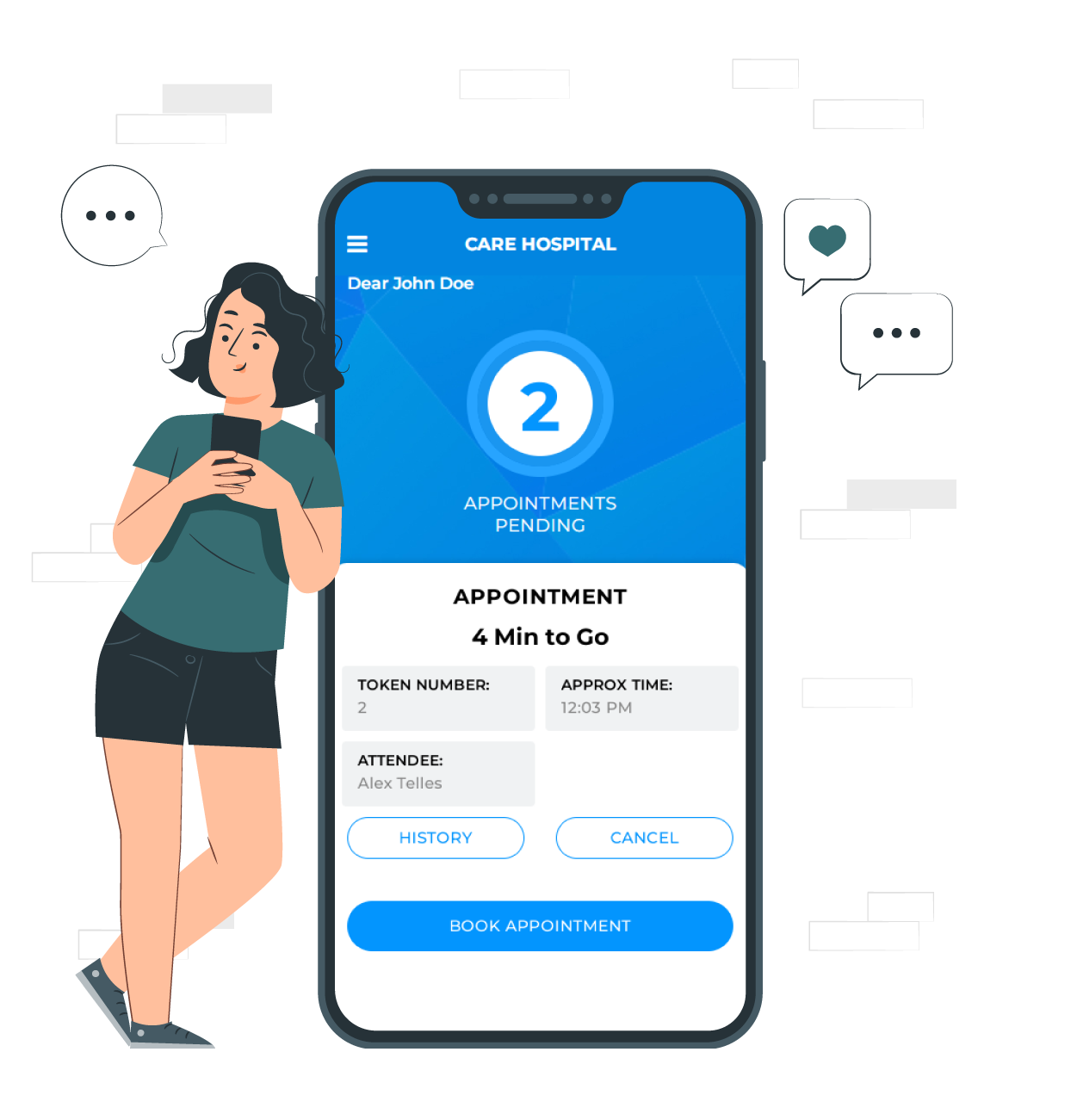
We understand the importance of keeping customers informed. Our e-token solution enables customers to view their token number, queue position and estimated serving time.
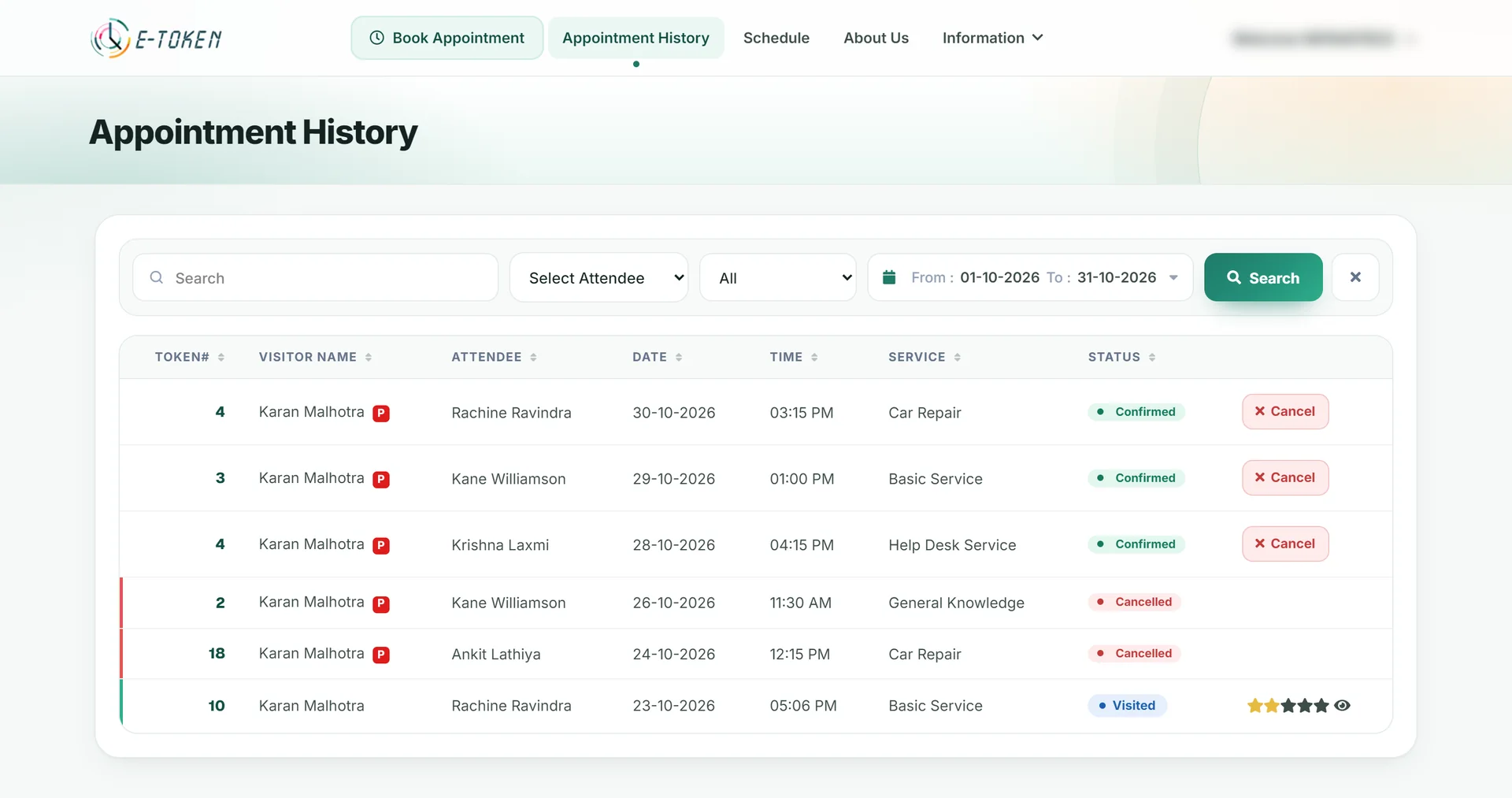
Our e-token solution allows customers to access their past bookings, providing a comprehensive record of their interactions.
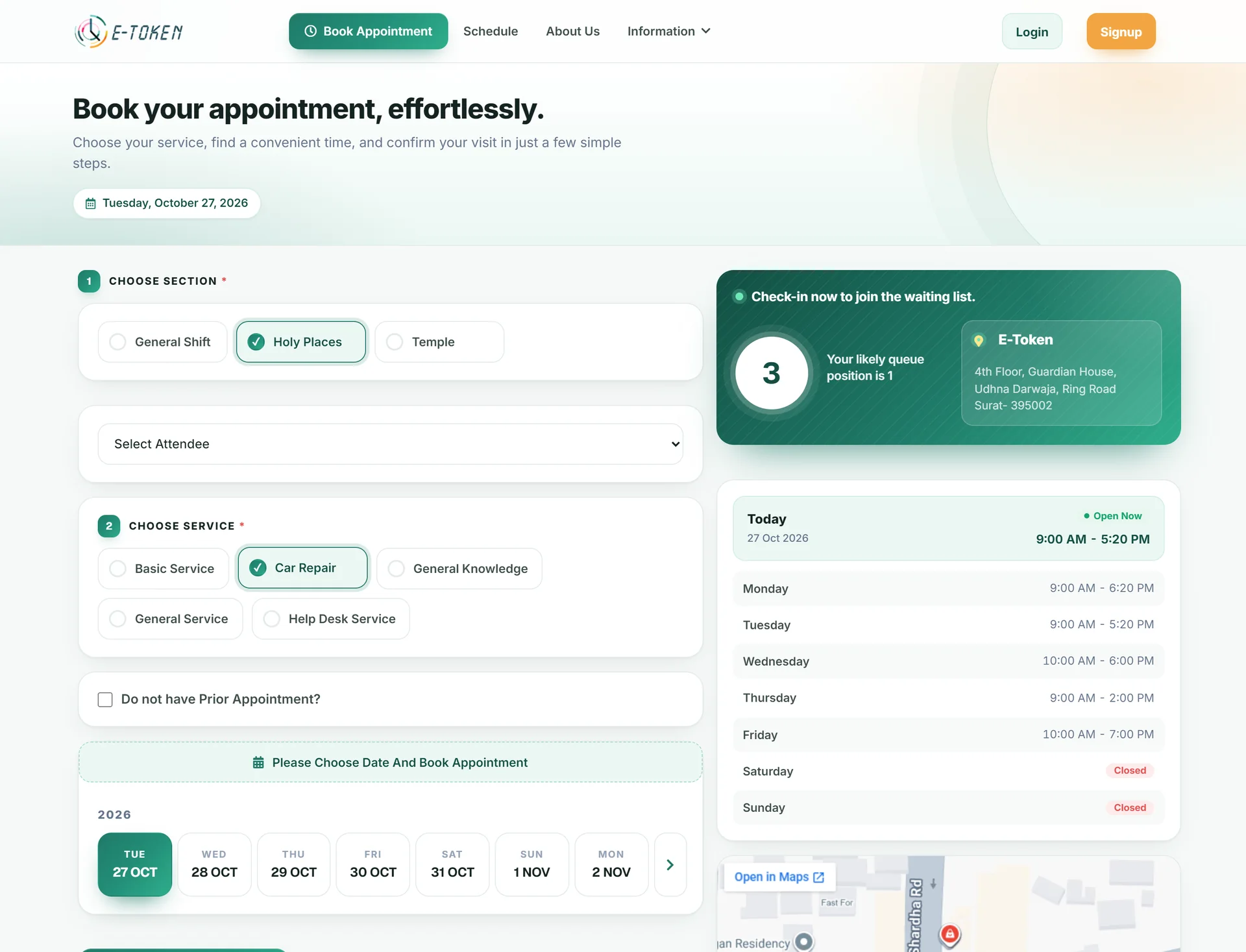
Customers can easily check instructions, availability and book slots that suit their schedules, giving them full control over their appointments. With a few simple taps on their mobile device, customers can book a slot, choose a convenient time and receive real-time updates on their token number and estimated serving time. This streamlines the process, allowing customers to plan their day effectively.
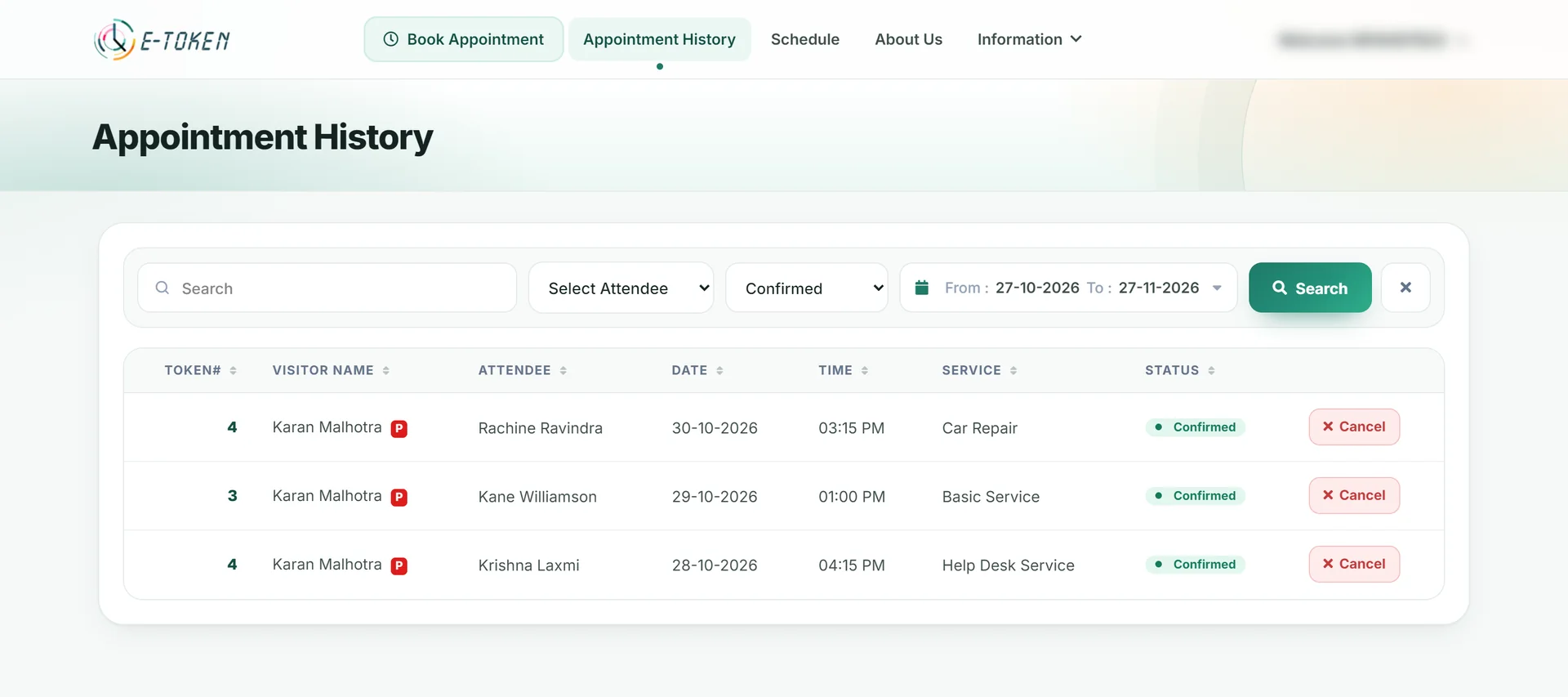
Our solution allows customers to make changes to their bookings or cancel them if necessary. This flexibility ensures that their plans can adapt to unforeseen circumstances or evolving needs.
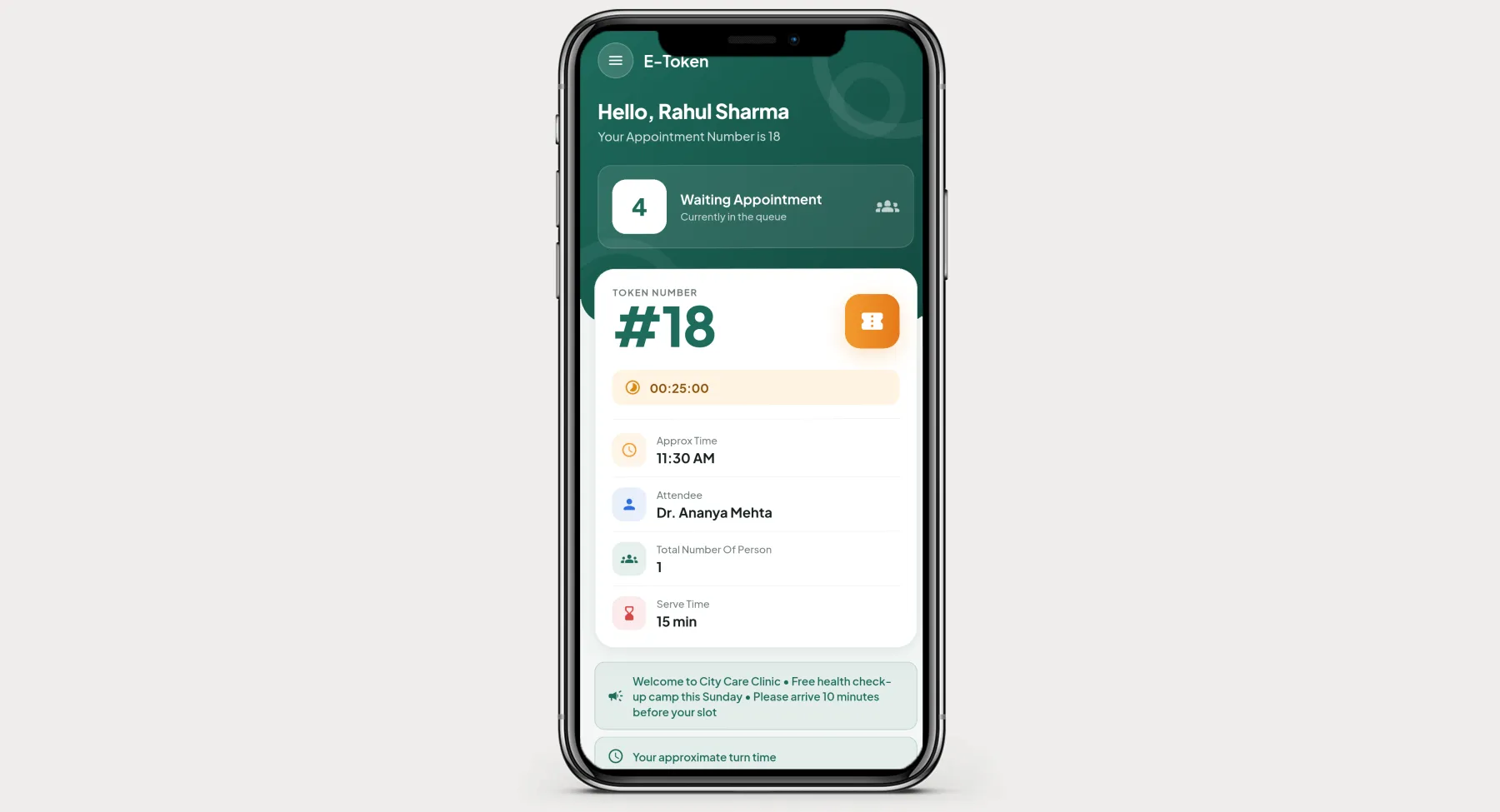
Customers receive real-time updates on their token number, queue position and estimated serving time through the mobile app, ensuring they are always informed.
Customers can access a record of their past bookings, enabling them to review and refer back to previous interactions as needed. This feature proves valuable for reference purposes, review of important information, or simply keeping track of their visit history. It's an added convenience that ensures customers have the information they need at their fingertips.
Start with the Free plan, or explore a demo to see how it works.
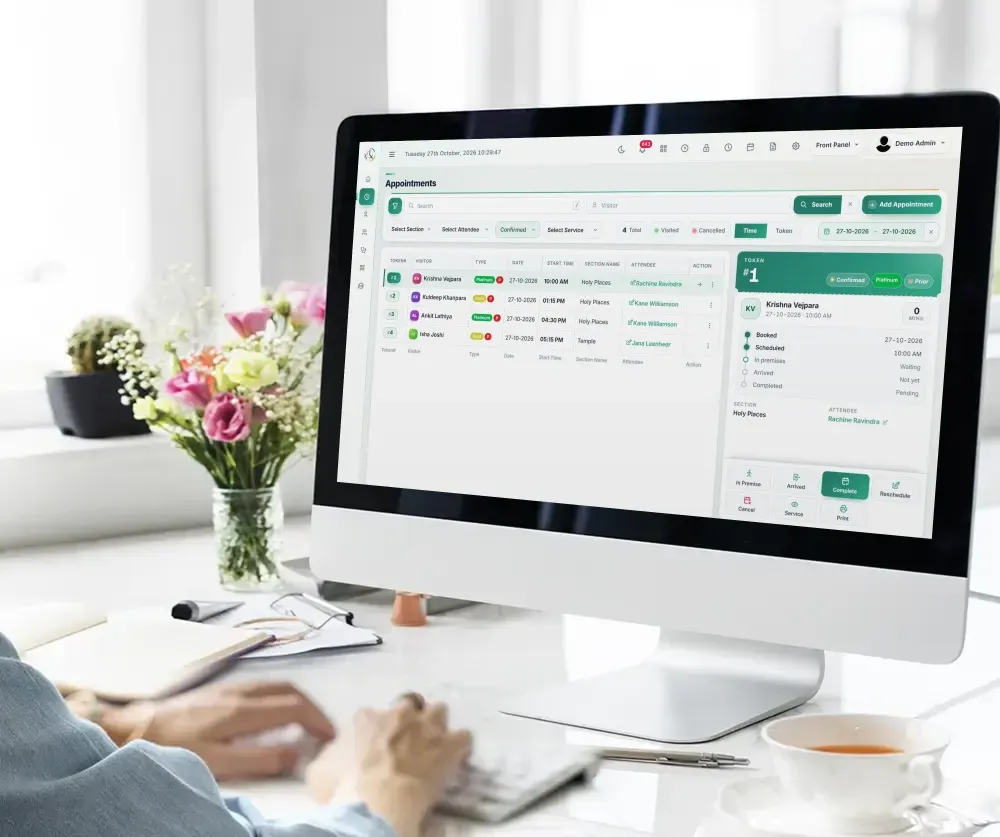
Your team sees each visitor in the Admin Panel, while visitors follow their visit in the mobile app.
Search and filter visitors by status, section, type or date, and open a profile with phone, email and membership since.
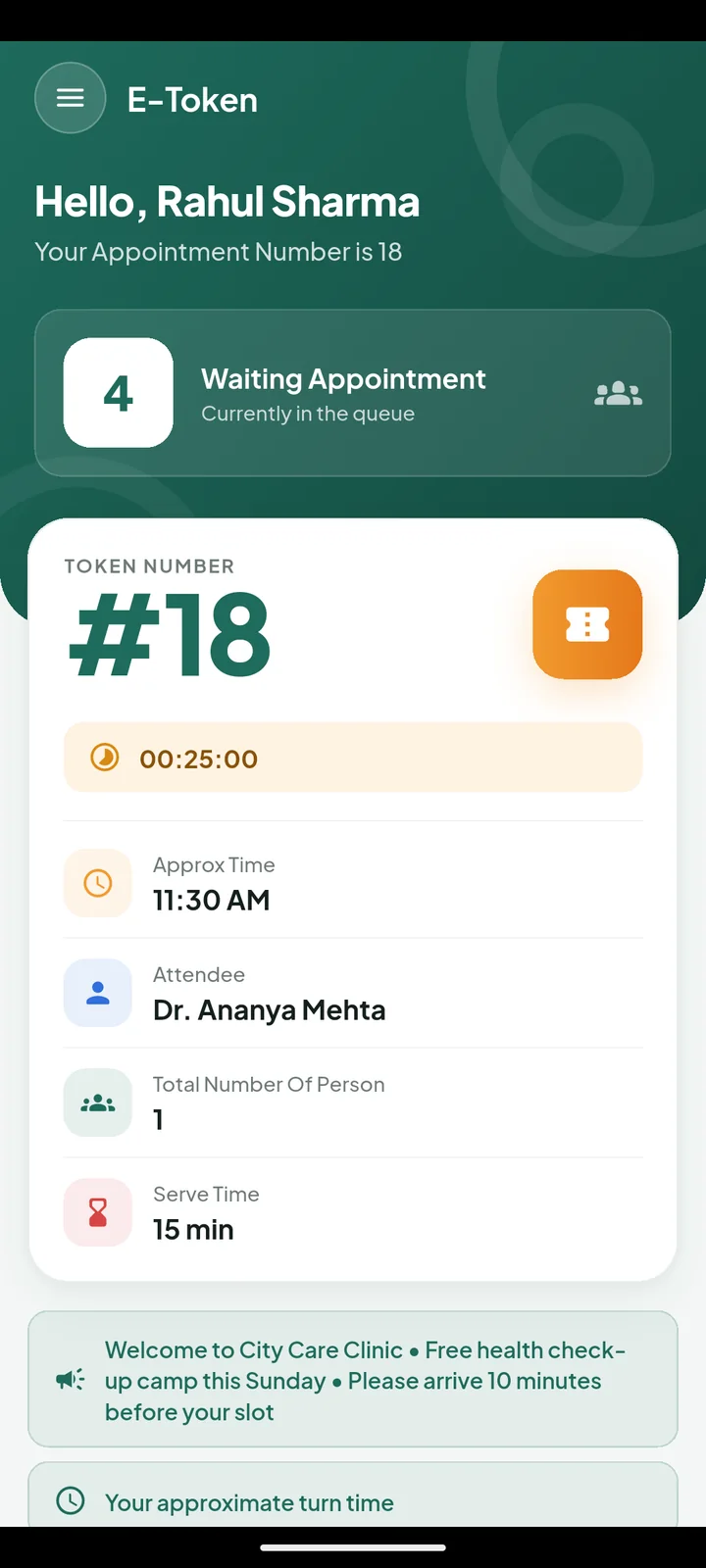
In the E-Token Visitor app, visitors see their token number, the queue ahead, their approximate time and their attendee.
E-Token Solution helps your team manage visitors from pre-registration to check-out. At the front desk you record when a visitor arrives and keep the visit details in one place. Staff can see who has arrived and the details the visitor gave, and they are notified when a visitor checks in or checks out. Visitors who also have to wait can book a token or a time slot online, see their queue position and estimated serving time, and come in when their turn is near. An attendee is a staff member or service counter that serves customers from the queue, such as a doctor, a bank teller or a stylist.
When visitors have to wait, they can book from home instead of queuing at the desk, which saves them hours lost in queues. This is how it works.
The visitor opens your booking page on the web or in the visitor mobile app. They read your instructions, check which slots are free and book one that suits them.
The token shows their token number, their position in the queue and the estimated serving time. These details update in real time, so the visitor knows when to leave home.
If plans change, the visitor can cancel or change the booking. After the visit, the booking stays in their history for later reference.
This page covers the visitor journey: check-in and records for your team, and how visitors book, wait and get served. The visitor mobile app is one way to reach it. It is the app your customers install on their phone, and it adds visitor registration, a view of staff availability and access to your knowledge articles. Visitors can also book through the web interface.
Our visitor value matrix explains what each check-in feature does for your team, and the retail store example scenario shows visitor check-in at the entrance of a multi-branch store. If you need ID scanning, badge printing or gate passes, ask our team to confirm what fits your setup before you buy.
Any place where visitors wait in line: hospitals and clinics, banks, service centres, salons, restaurants, retail stores during busy sales, and temples during festivals. See examples in our case studies, such as crowd management at a temple and a service centre.
Yes. You record each visitor's check-in, use a check-in form with the details your business needs, and staff are notified when a visitor checks in or checks out. You can search and filter visitor records by status, section, type or date. If you need ID scanning, badge printing or gate passes, ask our team first.
No. Visitors can book through the web interface. The visitor mobile app is there for customers who prefer an app on their phone.
Yes. Visitors can cancel or reschedule their booking themselves. This frees the slot for someone else and saves your staff a phone call.
Their token shows the queue position and estimated serving time, and it updates in real time. Email and push notifications in the visitor mobile app keep them informed about changes.
The Free plan includes the visitor mobile app with 1 attendee. Paid plans start at ₹2,100 ($30) a month and add more attendees, service management and the attendee app.
Depending on the modules you choose, our support team can get you running within 2 hours.